

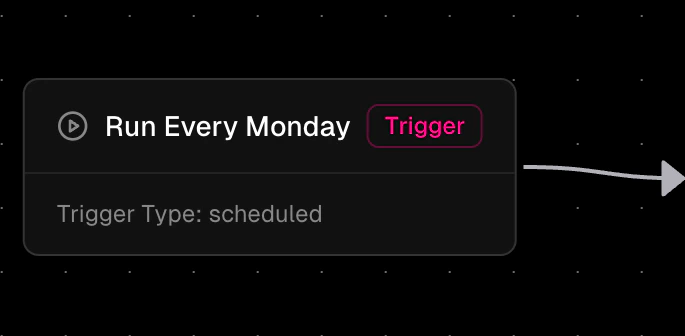
What is a Trigger Node?
A Trigger Node is a special workflow component that:- Always appears first in workflow definitions
- Defines the execution method (manual, form-based, or scheduled)
Trigger Types
1. Manual Trigger
The simplest trigger type that allows workflows to be executed on-demand.2. Form Trigger
Executes workflows when a form is submitted, with form data automatically available as workflow variables. Form triggers connect your workflows directly to form submissions, enabling automated processing of user-submitted data. When a user submits a form, the workflow is triggered automatically and all form fields become available as variables in your workflow. Key features:- Each form field is accessible as a variable using the field’s ID
- File uploads are handled as file references
- Form metadata (submission time, user info) is included
- Multiple workflows can be triggered by the same form
3. Scheduled Trigger
Advanced trigger type that enables automated, time-based workflow execution.Schedule Types
- Interval Schedule: Executes workflows at regular time intervals. Supported Units: seconds - Execute every X seconds minutes - Execute every X minutes hours - Execute every X hours days - Execute every X days
-
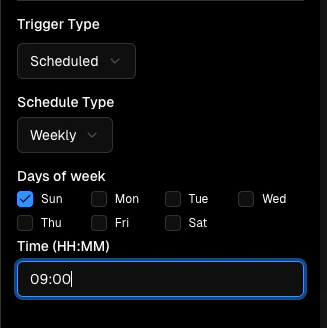
Weekly Schedule:
Executes workflows on specific days of the week at a designated time.
Example: Weekly every Monday at 9 AM.
-
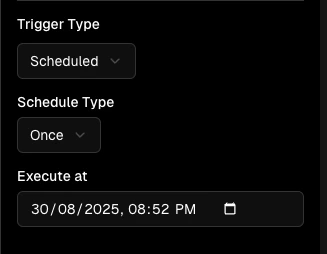
One-Time Schedule:
Executes a workflow once at a specific date and time.
Example: Once on 30th of August 2025 at 08:52 PM.
-
Cron Schedule:
Executes workflows using standard cron expressions for complex scheduling patterns.
Example:
0 0 1 * *: First day of each month